




A golf cart site speed zone assessment should connect each operating area with its hazards, the actual vehicles and a responsible approval decision. Copying one number across a campus does not explain whether it suits a crowded pickup point, an obscured junction or a quiet service route. Build a location-based register before changing signs or briefing drivers.
This guide helps private-site fleet teams organize that review. It supplies no universal speed limit, braking distance or controller setting. Competent site assessment, applicable local requirements and the supplied vehicle’s operating restrictions determine the actual arrangement. A posted limit is a ceiling, not an instruction to maintain that speed in every condition.
Divide the route by the decisions drivers face
Start with a current route map and identify meaningful changes in operating context. Examples include building entrances, pedestrian interfaces, bends, gates and passenger pickup areas. Use recognizable location names so a driver and supervisor can identify the same zone without consulting an ambiguous sketch.
The UK HSE’s site speed guidance links suitable limits to vehicles, layout and hazards, and discusses communication and enforcement. Its numerical examples are not golf cart limits. Use the assessment principle without transferring industrial-site numbers to a different operation.
Connect the register to your campus fleet plan. Keep the speed decision distinct from the route acceptance record: a previous observation on a particular day does not establish a permanently suitable speed for all conditions.
Record what changes the level of risk
Describe the users, visibility, layout and activities in each zone. Note whether pedestrian numbers change with class times, events or guest arrivals. Record a problem such as obscured sightlines as an issue requiring review, rather than assuming a lower sign value alone will resolve it.
HSE’s traffic route guidance identifies hazards including bends, junctions and barriers. It helps structure the observation list. Do not import its examples for other vehicle classes as cart gradients, clearance values or technical performance promises.
Include relevant changes since the last review, such as landscaping, a relocated stop or a new delivery entrance. Link a visibility concern to the blind-corner review. A speed-zone register should show who owns that unresolved issue rather than hiding it behind a completed sign inventory.

Review pedestrian interfaces before selecting controls
Ask whether the movement can be separated or the conflict removed. A numerical restriction is only one possible element of a broader arrangement. Consider the actual walking routes and entrances people use, including visitors who may not understand the site’s traffic conventions.
HSE’s pedestrian and vehicle separation guidance provides general workplace context. Have the responsible professionals assess changes to routes and physical controls. This article does not prescribe barriers, road humps or other installations that could introduce different hazards for a particular cart.
Keep the crossing plan connected with the zone decision. If the crossing arrangement changes, review the approach instructions too. Drivers should not receive a revised pedestrian rule while the speed register still describes the old layout.
Obtain a decision for the actual vehicle and use
Provide the assessor with the proposed cart configuration, intended duty and applicable operating documentation. Identify differences across the fleet that may need separate consideration. Catalogue maximum speed is not evidence that the same value is appropriate at a particular site or stop.
| Register field | What to capture | Reason |
|---|---|---|
| Zone reference | Clear start and end locations | Make the instruction identifiable |
| Relevant conditions | Users, visibility, layout and activity | Retain the basis of the review |
| Vehicles and duties | Configurations and permitted movements considered | Avoid an unsupported fleet-wide assumption |
| Approved arrangement | Decision reference, responsible authority and limits | Distinguish approval from a proposal |
| Review trigger | Changes that require another assessment | Keep the record relevant |
The table is an illustrative record format. The responsible assessment supplies actual values and conditions. Leave unresolved decisions clearly marked rather than populating an empty cell with a familiar road speed or a supplier’s advertised maximum.
Communicate the arrangement consistently
Once approved, align the route register, site rules and relevant signs. Explain where a zone starts and ends, what changes under temporary restrictions and whom drivers contact if instructions conflict. Check understanding with the actual route and vehicle duties rather than relying solely on a circulated email.
HSE’s driver training guidance discusses relevant instruction and checking understanding. Use it as general UK workplace context. Local licensing, employment and operating requirements still need the appropriate local review.
Carry the approved instructions into driver onboarding and the signs and markings register. Do not use a corrected sign as proof that every driver or visiting contractor has received the change.

Agree supervision and a route for reporting problems
Identify who observes operating practice and handles reported conflicts. A driver should be able to raise a zone that appears inconsistent with actual conditions without being pressured to maintain the timetable. Investigate the situation rather than interpreting every concern as a request for a higher limit.
HSE’s delivery cooperation guidance highlights information exchange between organizations. Apply that coordination principle to visiting traffic sharing your route. A shuttle briefing alone does not inform a separate delivery company about the site’s approved arrangements.
Review material changes, incidents and credible observations with the responsible assessor. Record what changed and which decision remains valid. Do not adjust a controller or claim geofenced speed control is available on a MOVIVEX model unless that capability and any proposed change have been explicitly confirmed.
Test the register against a foreseeable change
Consider an illustrative campus event that moves a visitor entrance beside the shuttle route. The existing zone was assessed for a different flow of people. The responsible team should identify which decision needs review, arrange the approved interim operating instruction and tell dispatch how the affected movement is restricted. Drivers should not be left to negotiate a new limit among themselves.
After the event, do not automatically assume every temporary change has been removed. Confirm the layout and relevant instructions before closing the action. Retain the decision reference and communication record so the next event planner can see what was actually reviewed, rather than copying a number from an old temporary sign.
Ask visiting operators whether their drivers received the same instructions as the resident fleet. A site with mixed employers needs a clear owner for distributing revisions. Record any unanswered question about a vehicle or route as an open item with a responsible reviewer; the register should make uncertainty visible before the movement is allocated.
Frequently asked questions
Can we use the cart’s maximum speed as the site limit?
No. A product capability does not establish a suitable operating arrangement for a route. The site assessment must consider the actual conditions and remain within the vehicle’s documented restrictions.
Does posting a lower number solve a blind corner?
Not by itself. Review the underlying visibility and movement problem with competent personnel. The approved arrangement may involve other changes as well as speed instructions.
Should every cart use the same zone register?
A common register can help coordination, but it must identify the configurations and duties considered. Record differences and restrictions explicitly instead of assuming all vehicles behave identically.
What information should buyers request from MOVIVEX?
Request the exact configuration and applicable operating documentation through fleet planning. Use those records in the site assessment; the catalogue cards below do not certify a speed-zone arrangement.
Related video: speeding on a work site
This Litmos Heroes training video discusses speeding on a work site. Use it as awareness context, not a source of a golf cart speed limit or stopping distance. The actual zone decision requires competent site assessment and the relevant vehicle documentation.
Third-party educational video by Litmos Heroes. Watch on YouTube
Explore related MOVIVEX golf carts
Use these existing catalogue vehicles as starting points for a configuration discussion. Confirm the ordered specification and support scope in writing.
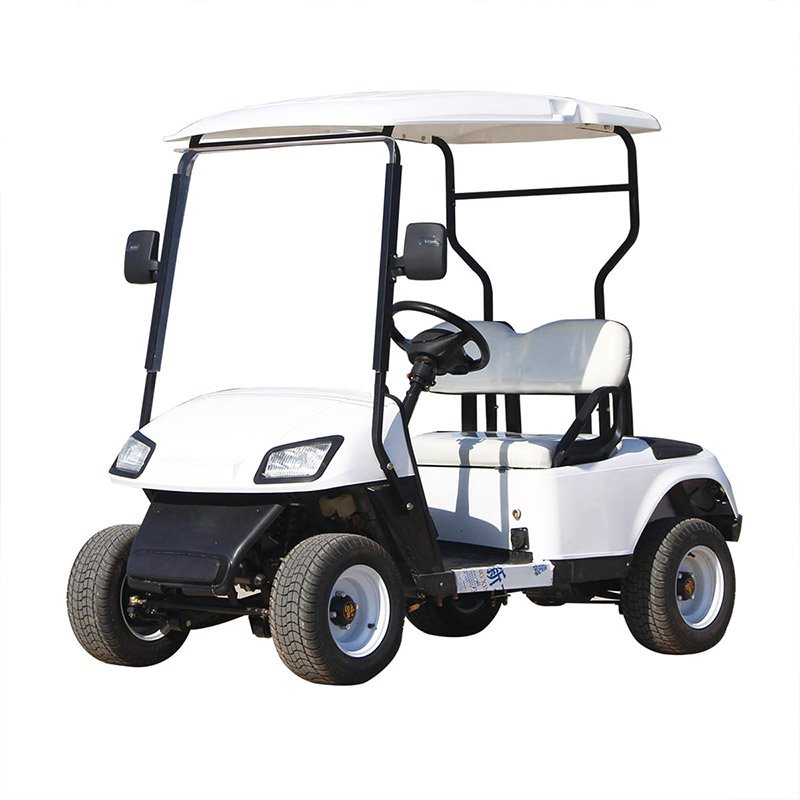
MV-A2 · Catalogue configuration
Carrinho de golfe elétrico MV-A2
Request applicable configuration and operating documents for your competent site assessment.
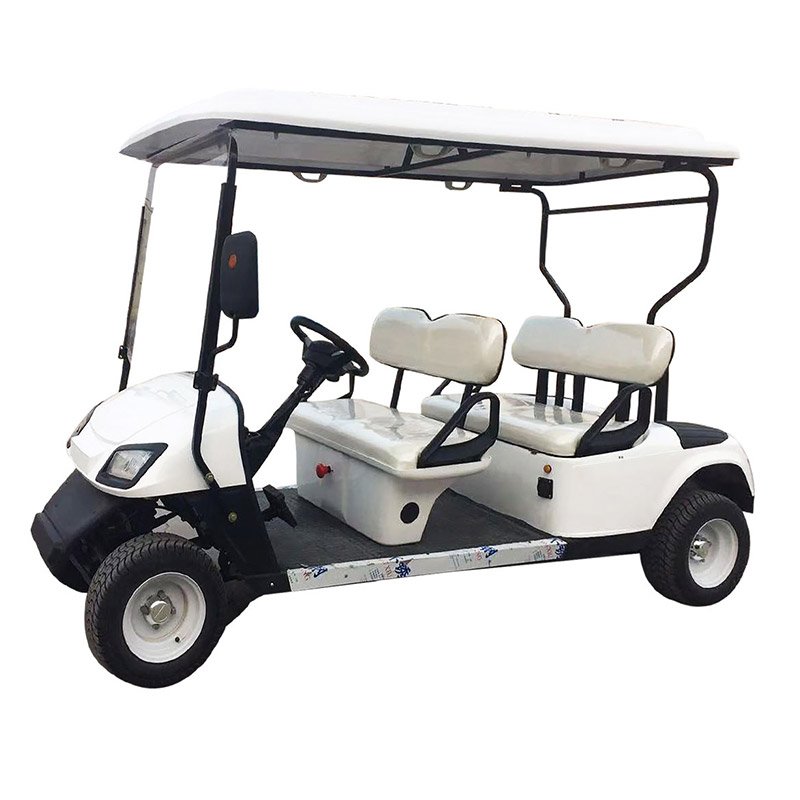
MV-A4 · Catalogue configuration
Carrinho de golfe MV-A4 de 4 lugares
Request applicable configuration and operating documents for your competent site assessment.
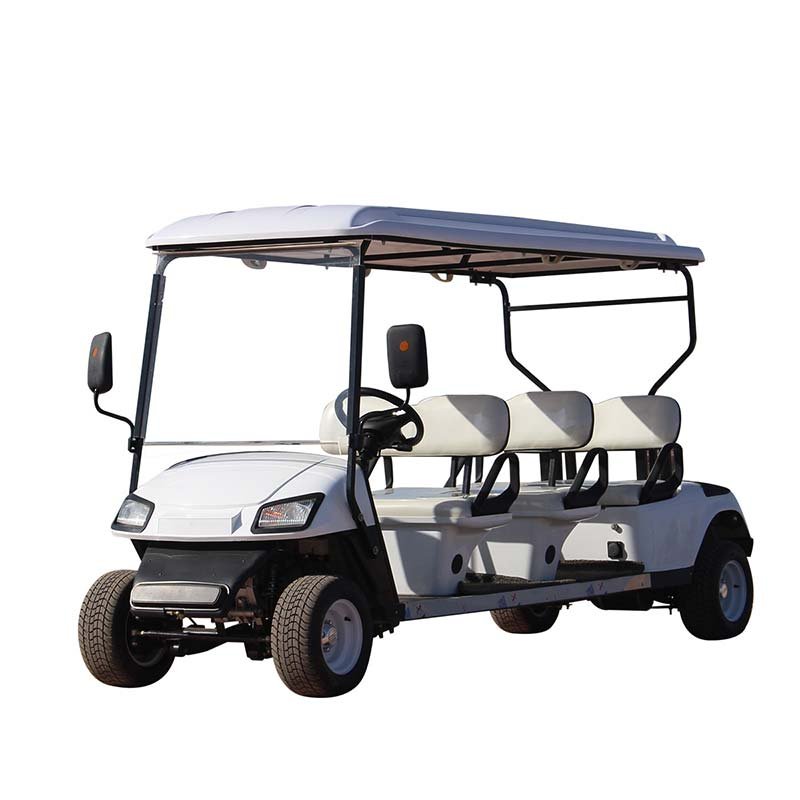
MV-A6 · Catalogue configuration
Carrinho de golfe MV-A6 de 6 lugares
Request applicable configuration and operating documents for your competent site assessment.
Discuss your fleet requirements
Tell us your passenger needs, quantity, operating location and delivery destination.

